
Customer Support
How can I access my VPS hosting package?
TopHost provides a modern and user-friendly management environment for VPS hosting packages. Through the control panel, you can easily manage your package, perform basic technical operations, monitor resource usage, and access security and backup tools.
Within the management interface, you can, among other things:
- Manage the installation and configuration of your VPS
- View and manage available backups and snapshots
- Upgrade your package
- Monitor resource usage (CPU, RAM, disk)
Accessing the control panel
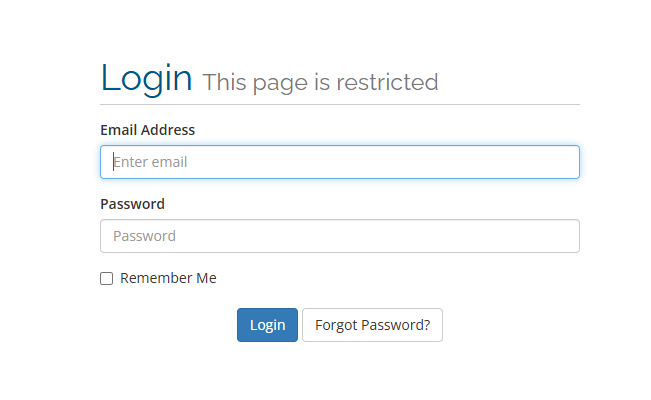
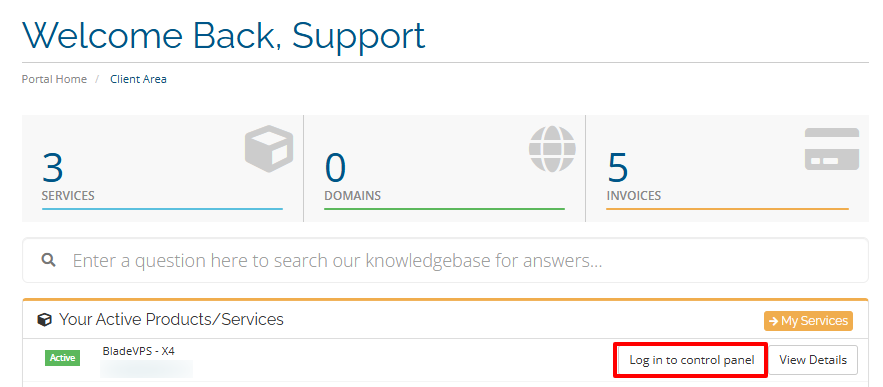
- Locate the VPS hosting package you want to manage from the menu in your control panel and click Log in to control panel.
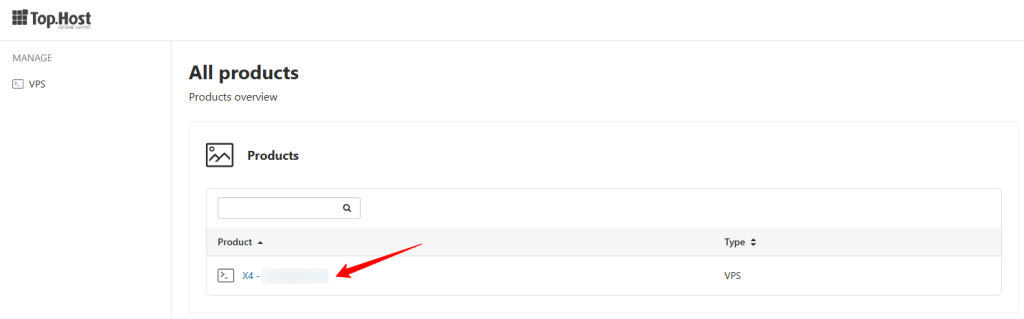
- Click on the desired plan
VPS Management Environment
“Overview” Tab
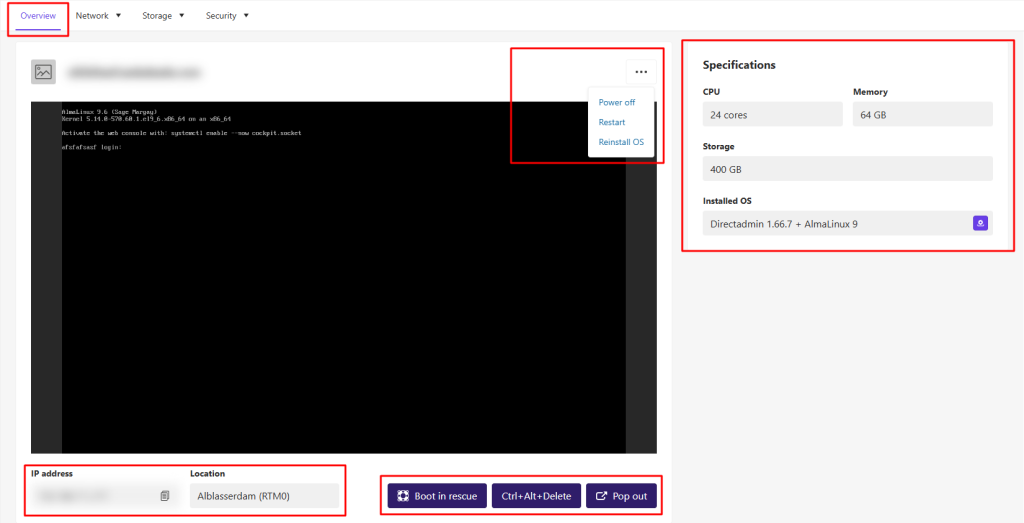
Once logged in, under the Overview tab, you can view a general status of your VPS and perform key actions.
- Change the VPS status (start, shutdown, restart)
- Reinstall the operating system
- View available resources (CPU, RAM, disk space, installed OS)
- Find the VPS IP address
Additional console options:
- Boot in rescue: Start in a temporary rescue environment for repair or recovery
- Ctrl + Alt + Delete: Reboot or display login screen (depending on OS)
- Pop Out: Open the console in a new window for easier access
“Network” Tab
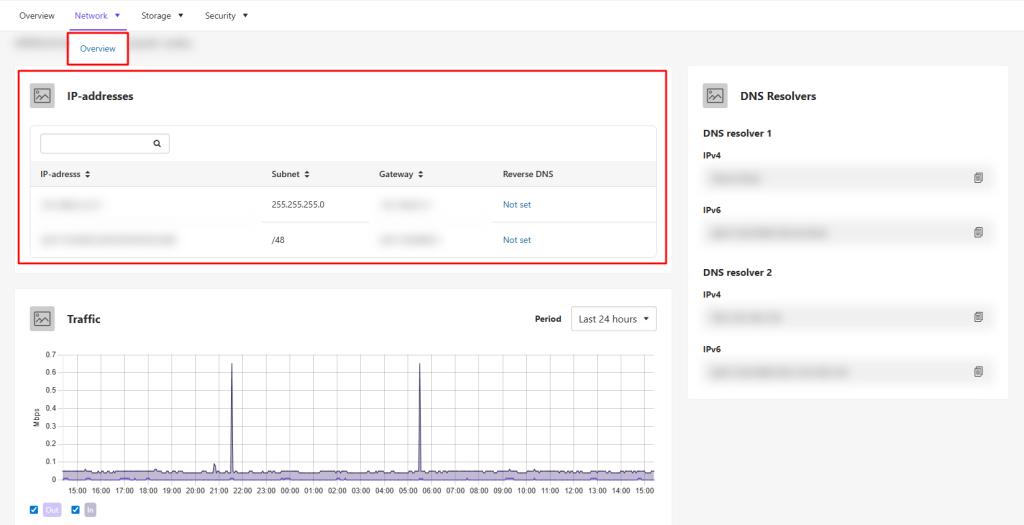
In the Network tab under the Overview section, you can view detailed information about your VPS IP addresses, as well as full insights on incoming and outgoing traffic.
“Storage” Tab
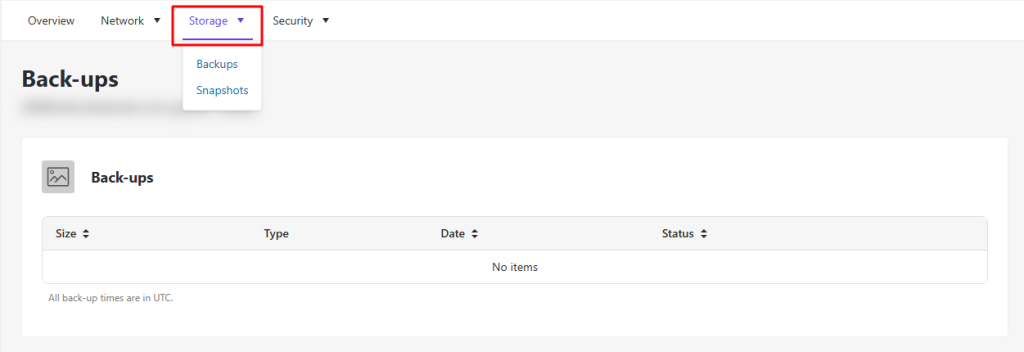
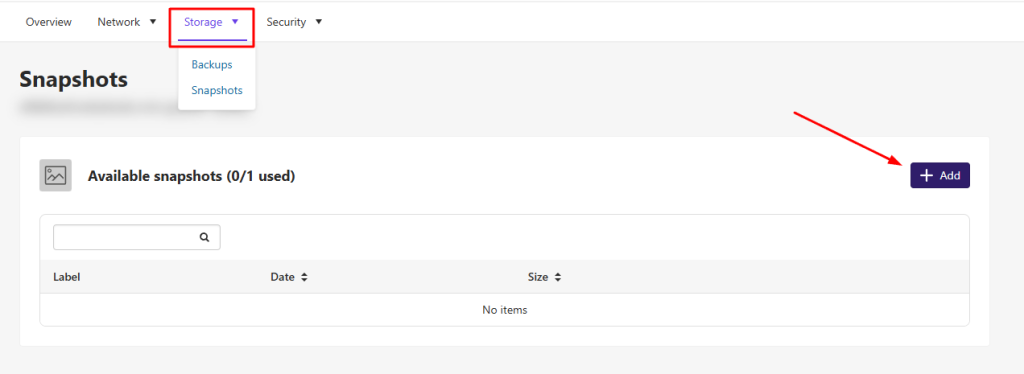
In the Storage tab, you can access:
- Backups: Automatic daily backups of your VPS
- Snapshots: Create and manage VPS snapshots
“Security” Tab
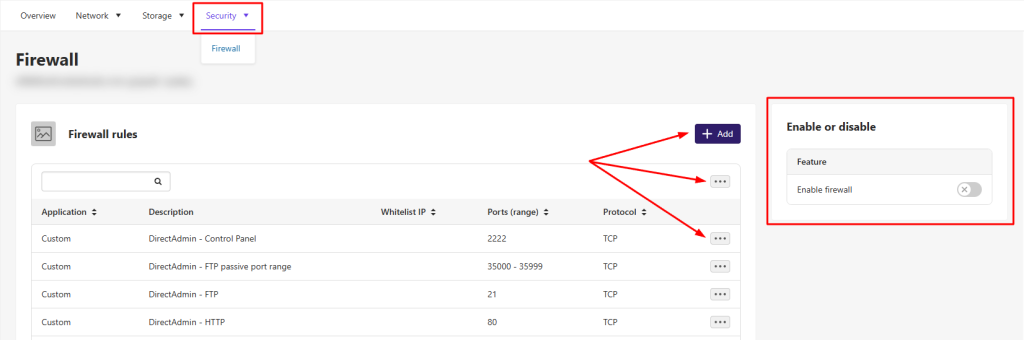
From the Security tab, you can manage your VPS firewall, add or remove rules, and customize the settings according to your needs.
You haven't found what you are looking for?
Contact our experts, they will be happy to help!
Contact us