
Customer Support
How do I log in to my hosting package in Plesk?
Plesk is the management environment (control panel) of your hosting package. Through it, you can manage your files, databases, email accounts, domains, SSL certificates, and generally all the settings of your website.
There are two main ways to log in to Plesk.
Method 1: Through the myTophost Panel
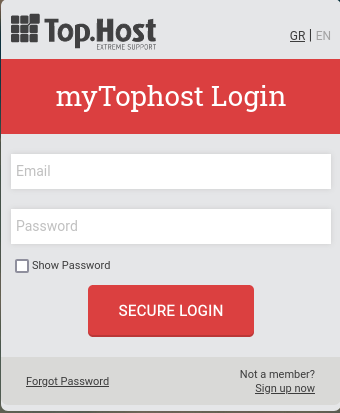
- Log in to the myTophost Panel. If you have forgotten your password, you can reset it here.
- Select "Plesk Login" to access the Plesk panel of the package you are interested in.

In this case, for security reasons, OTP (one-time password) verification may be required. The OTP is sent to the administrator email address of your account.
Method 2: Using the URL from the Welcome Email
When your hosting package was initially activated, you received a welcome email which, among other information, includes:
- The Plesk login URL
- The username
- The password
Using this method, you can log in directly to Plesk without requiring OTP verification sent to the administrator email.
This method is useful if you want to share the login details with your technician or website developer.
Forgot your password?
Through the myTophost panel, locate the hosting package for which you need to change the password and then click Manage Service.

Then click Send Login Information from the corresponding option. If you have also added a secondary email account, you may choose to forward the email with the login credentials to that account as well.
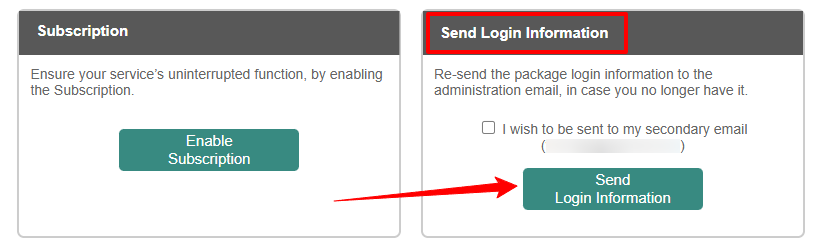
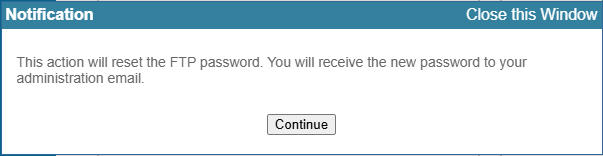
Please note that this action resets the FTP password, and you will receive new login credentials.
If access to the myTophost panel is not possible, you will need to contact the support team so that we can proceed with resending your login details.
You haven't found what you are looking for?
Contact our experts, they will be happy to help!
Contact us